
The following solution suggestion is valid if the operating system on the flash of the VDX switch is corrupt and restarts constantly. In this case, the device can be recovered with netinstall. If this method does not work, the device is RMA.
Original link to the article:
NFS and TFTP version:
Precondition:
Brocade brand flash disk must be at least 2GB and formatted as ext2. There are tools for Windows. I will format my linux machine running on linux Vmware Player.
First, let’s connect the USB plugged into the computer to linux.
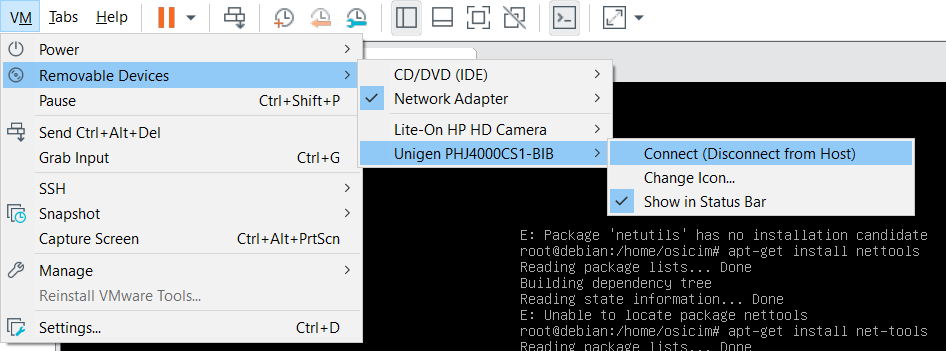
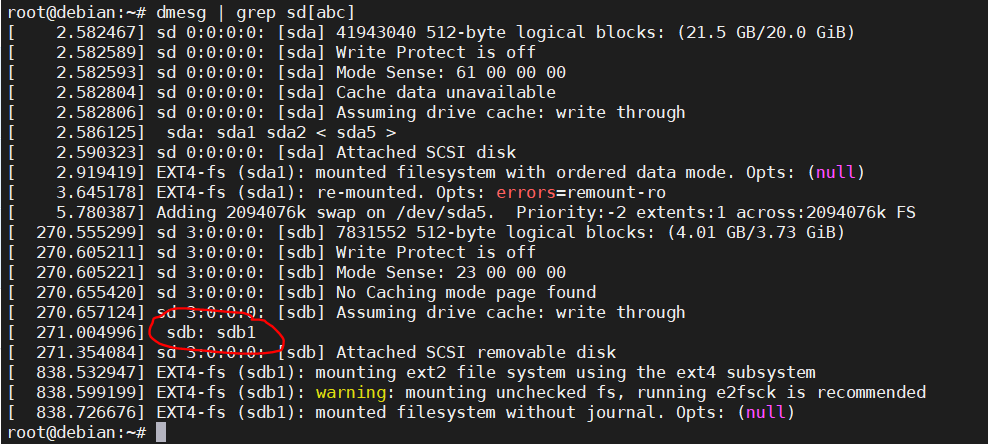
Let’s find out what name the USB appears in the Linux shell:
bash# dmesg | grep sd[abc]
On Linux it shows up as sdb1.
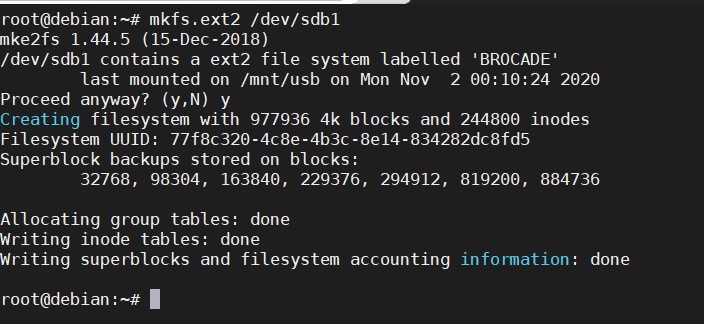
Let’s format the USB flash disk:
mkfs.ext2 /dev/sdb1
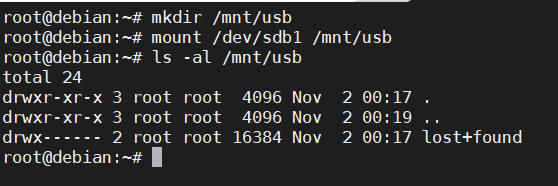
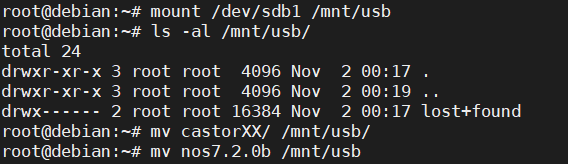
Let’s mount it under /mnt/usb.
mkdir /mnt/usb
mount /deb/sdb1 /mnt/usb
ftp://ftp2.extremenetworks.com/outgoing/netinstall_6740_6940_usb.zip
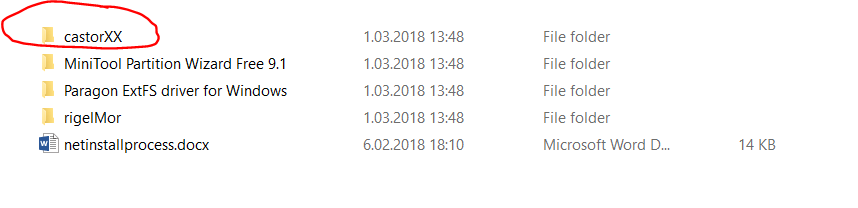
Download netinstall software from Extreme Support Portal. Copy the folder of castorXX for 6740 or rigelMor for 6940 and the NOS firmware to USB. (you can transfer with winscp)
mv castorXX/ /mnt/usb/
mv nos7.2.0b /mnt/usb
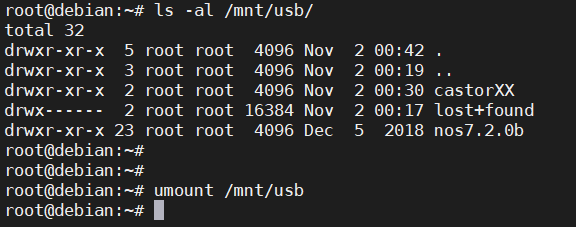
Now the USB is ready. umount and exit.
Plug the USB into the VDX key and reboot.
We do the following procedure in order:
1) We interrupt the key from opening with ESC and press 3.
Hit ESC to stop autoboot: 5
1) Start system.
2) Recover password.
3) Enter command shell.
Option? 3
Boot PROM password has not been set.
2) We prepare the USB.
For the 6740/6940-36S:
=> usb reset 1
For the 6940-144S:
=> usb reset 0
3) We check the contents of the USB.
For the 6740/6940-36S:
=> ext2ls usb 0:1
<DIR>       1024 .
<DIR>       1024 ..
<DIR>       1024 lost+found
<DIR>       1024 castorXX
<DIR>       1024 nos7.2.0b
For the 6940-144S:
=> ext2ls usb 0:1
<DIR>       4096 .
<DIR>       4096 ..
<DIR>       4096 lost+found
<DIR>       4096 rigelMor
<DIR>       4096 nos7.2.0b
4) If the files are visible:
For the 6740/6940-36S:
=> makesinrec 0x1000000; ext2load usb 0:1 2000000 castorXX/uImage;ext2load usb 0:1 3000000 castorXX/ramdisk.image;ext2load usb 0:1 4000000 castorXX/silkworm_bd131.dtb; bootm 2000000 3000000 4000000
For the 6940-144S:
=> makesinrec 0x1000000; ext2load usb 0:1 2000000 rigelMor/uImage.new; ext2load usb 0:1 3000000 rigelMor/ramdisk.mercury.Aug; ext2load usb 0:1 4000000 rigelMor/silkworm_bd154.dtb; bootm 2000000 3000000 4000000
5) We check the USB device again.
bash-2.04# dmesg | grep sd[abc]
sd 0:0:0:0: [sda] 16076592 512-byte logical blocks: (8.23 GB/7.66 GiB)
sd 0:0:0:0: [sda] Write Protect is off
sd 0:0:0:0: [sda] Mode Sense: 23 00 00 00
 sda: sda1 sda2 sda3 sda4
sd 0:0:0:0: [sda] Attached SCSI removable disk
sd 1:0:0:0: [sdb] 3913728 512-byte logical blocks: (2.00 GB/1.86 GiB)  <//---2GB USB
sd 1:0:0:0: [sdb] Write Protect is off
sd 1:0:0:0: [sdb] Mode Sense: 23 00 00 00
 sdb: sdb1
sd 1:0:0:0: [sdb] Attached SCSI removable diskp
6) We mount the USB.
bash-2.04# mount -t ext2 /dev/sdb1 /load
bash-2.04# cd /load
bash-2.04# ls
castorXX    lost+found  nos7.2.0b
bash-2.04# cd nos7.2.0b/
bash-2.04# chmod 755 *
bash-2.04# ls -lh

bash-2.04# ls -lh install*
-rwxr-xr-x    1 root     root  52.5k Feb  2  2016 install
-rwxr-xr-x    1 root     root  6.5k Feb  2  2016 install_verify
7) We start the installation. After the installation is finished, the system will reboot automatically.
bash-2.04# ./install release; sync; reboot -f
NOTE:
Since all licenses are deleted while Netinstall installation, they must be re-entered.
license add licstr “B *…………….” when the system boots up
license is added.
If you do not have the licenses, report a fault to TAC within 30 minutes
they will get back to you.
Automatically if there is no problem with ISL connections when the switch is turned on
It will be included in the VCS.
 Notes to Myself