
Resetting the admin user in Cisco WLC:
Admin user and password changed to pre and post version 5.1.
After Version 5.1:
· Connect the console.
· WLC should power off and then power on.
· When opened, “Restore-Password” must be entered instead of the user name. This action can be done once when first opened.
· Change the new user name and password to the previous user and password.
o User: Restore-Password
o Enter User name: <kullanıcı-adı>
o Enter password:************
o Reenter Password:************
Prior to Version 5.1:
This method can be applied in after 5.1. With this method, WLC is reset and it is necessary to return from the backup again. Therefore, the above method is easier to implement.
· WLC should power off and then power on.
· When the system is booting, ESC should be entered into the boot process screen.
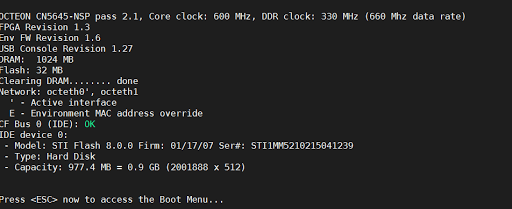
- Clear Configuration should be selected from the screen that appears.
· After that, the controller will return to the default configuration. After initial configuration, WLC or FTP server should be restored from backup.
Resources:
http://netterrene.blogspot.com/2014/08/cisco-wlc-password-recovery.html
 Notes to Myself